Province UI
Provincial UI has been greatly expanded with new actions, the trade and tiles subwindows.
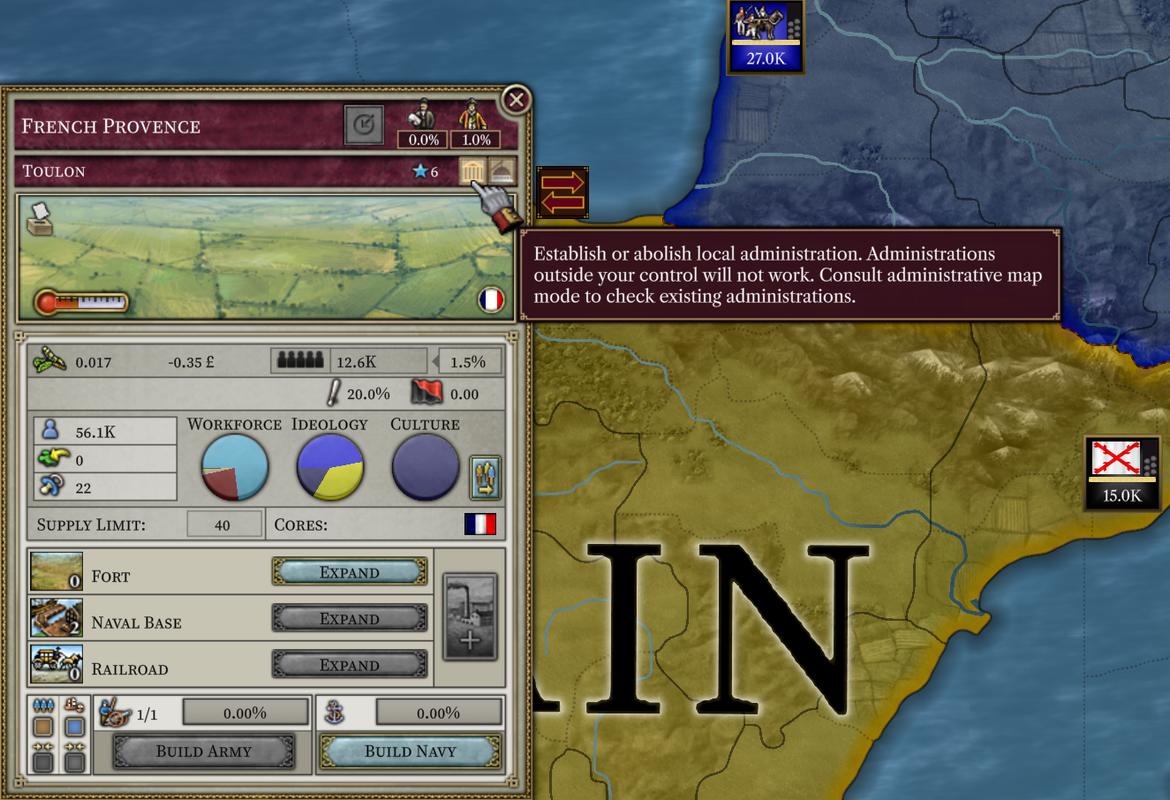
Create and disband local administrations.
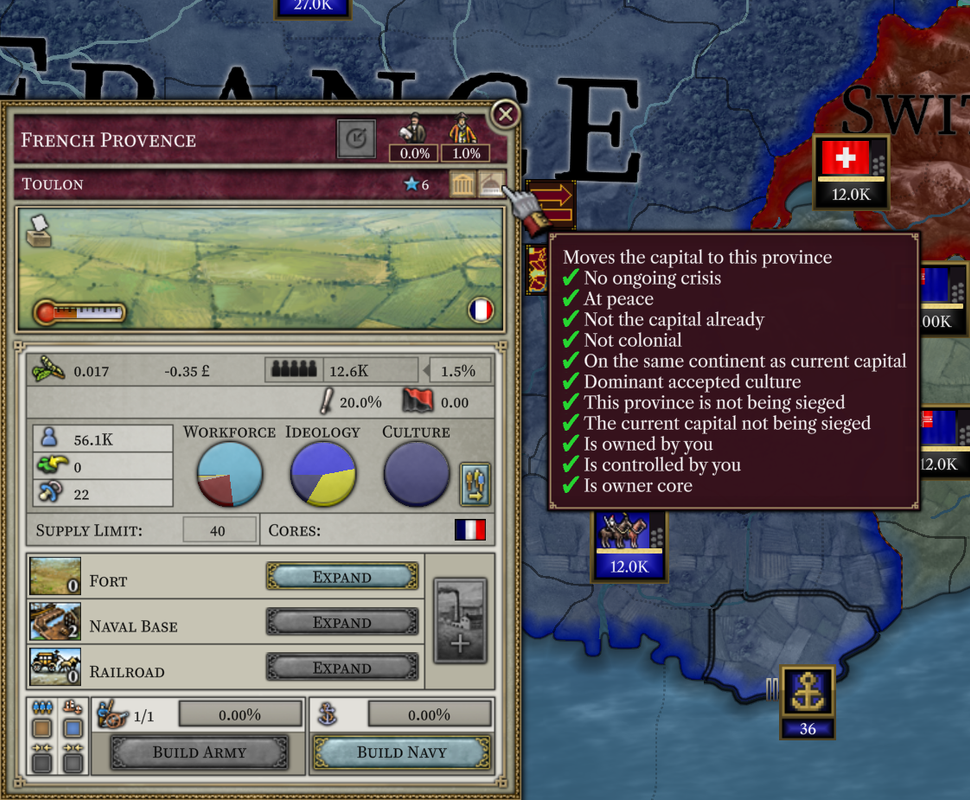
Move capital.
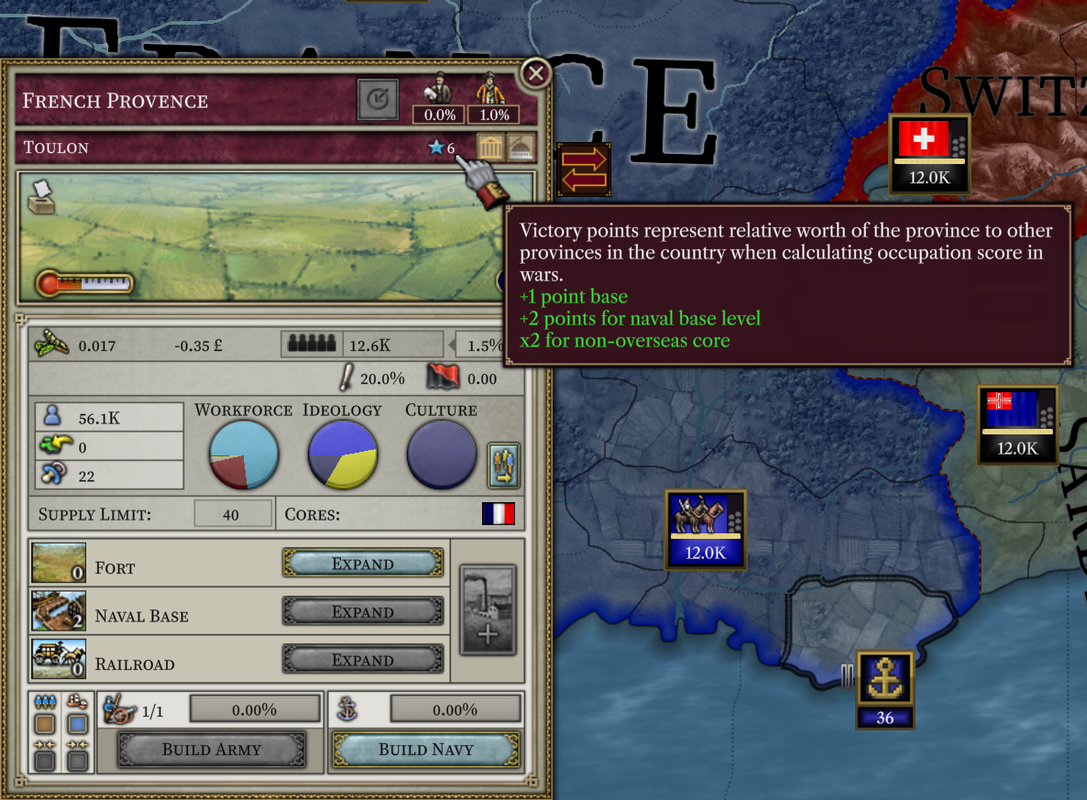
Victory points represent relative war score worth of the province.
Trade subwindow
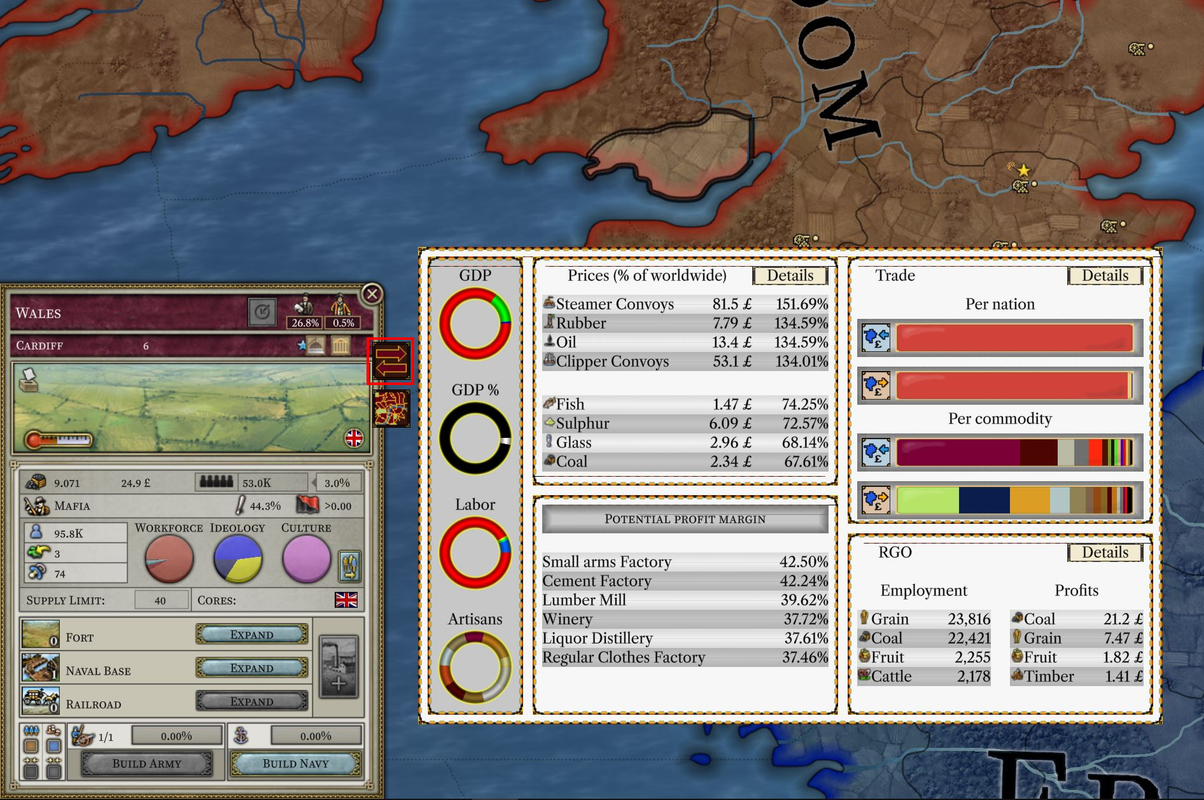
Trade subwindow (toggleable with the highlighted button) has information on the key local economic indicators. These include:
GDP, labour types, work of artisans.
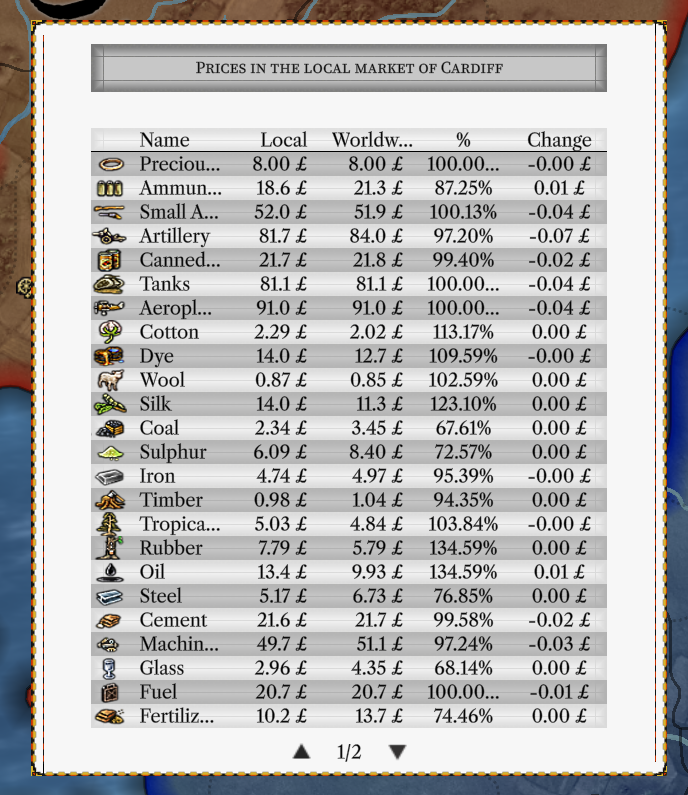
Local prices. Details window shows full list of commodities, their prices, worldwide medians, relation between local and worldwide prices, and predicted changes to prices.
Potential factory profit margins.
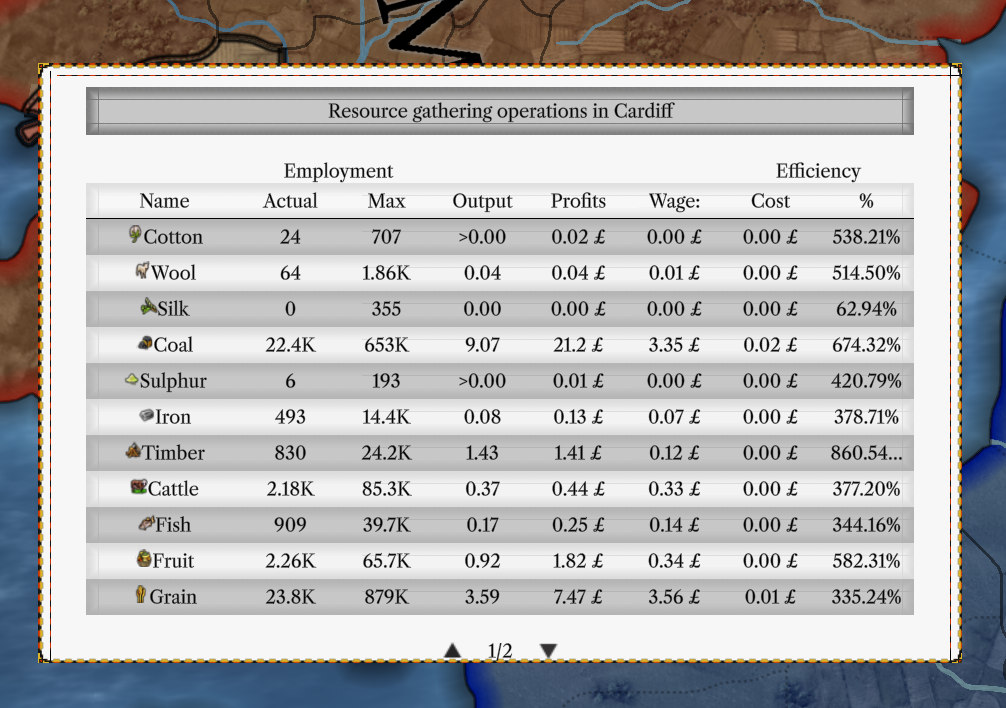
RGO employment and profits. Details window shows full list of local RGOs, their current and max employments, and efficiency metrics.
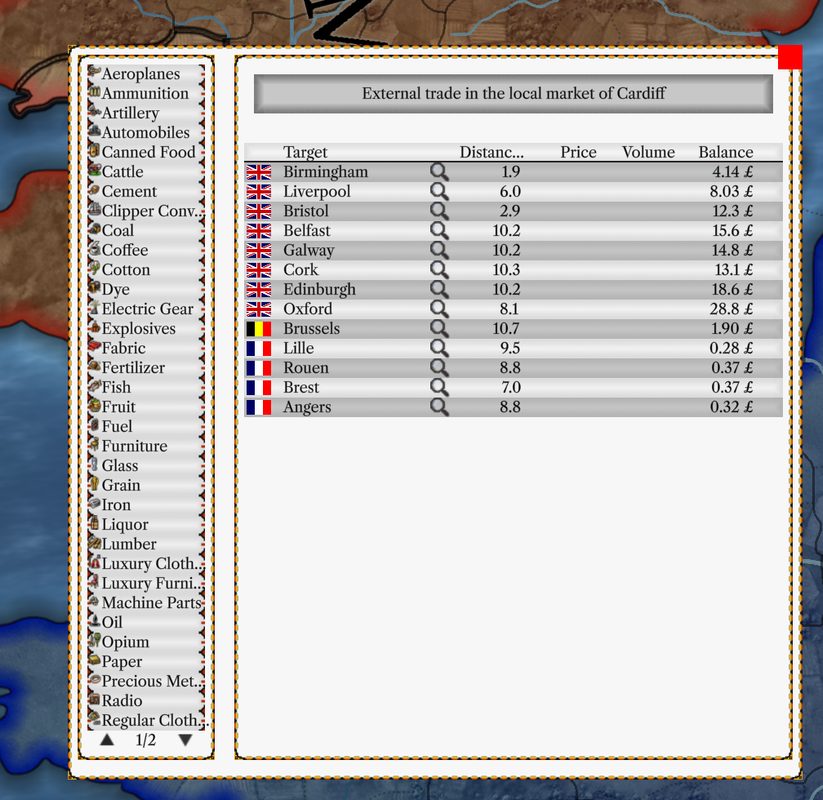
Trade with other markets. Details window shows full list of commodities and trade routes, their volumes and profitabilities.
Tiles subwindow
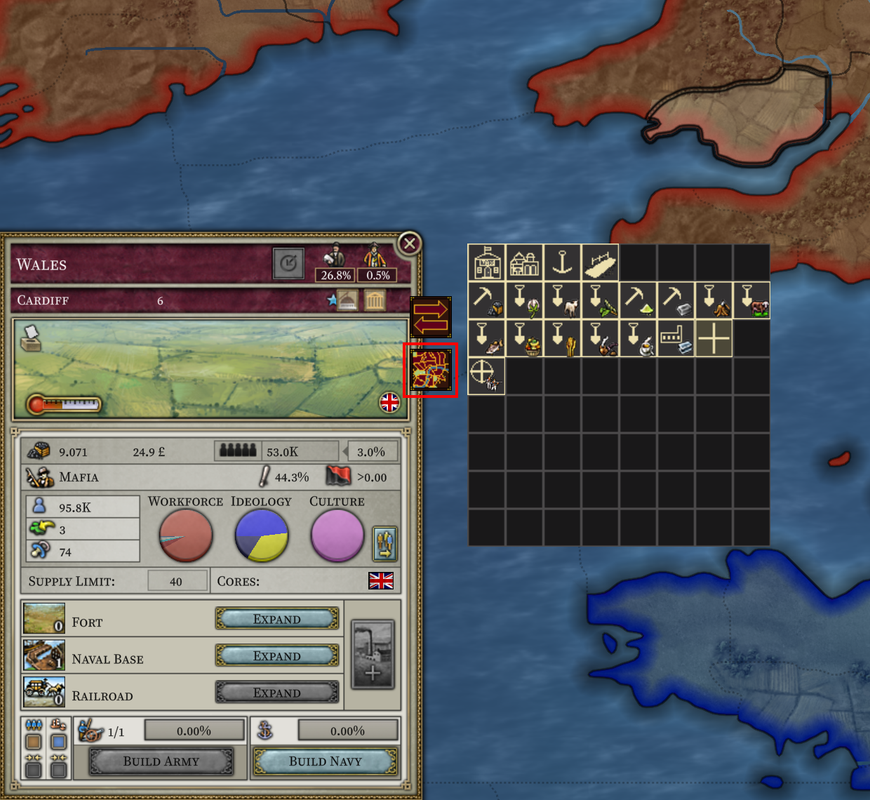
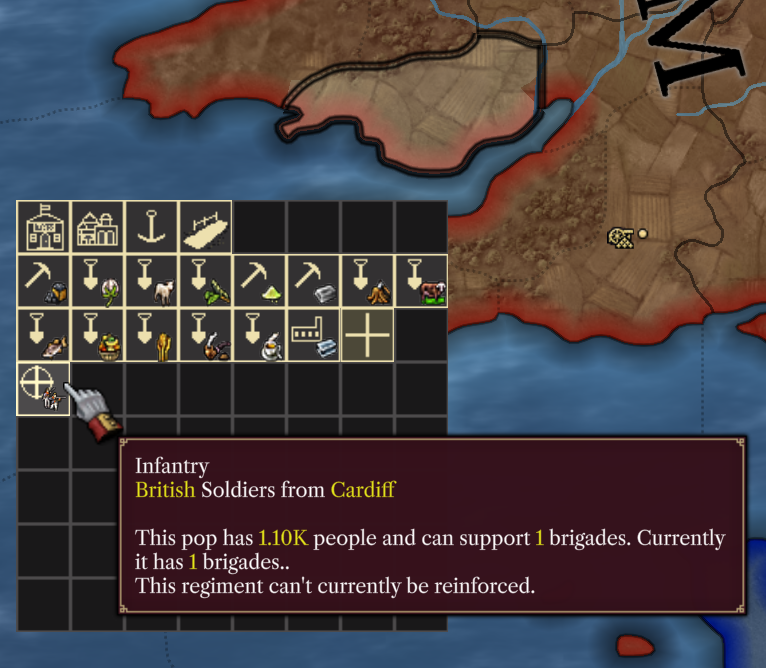
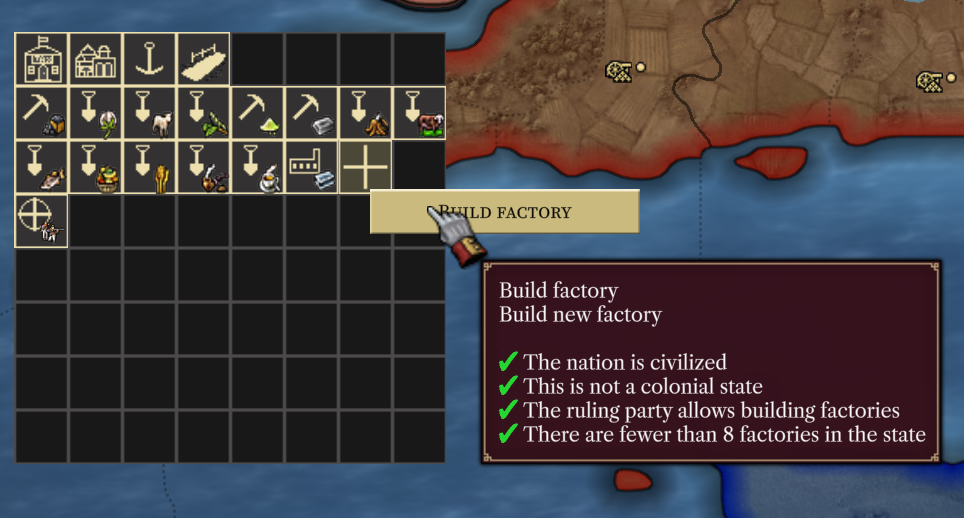
Tiles subwindow represents information about the province in the form of buildings. On top of that, it allows for interacting with the province through the context menu: building new factories, expanding existing ones, etc.
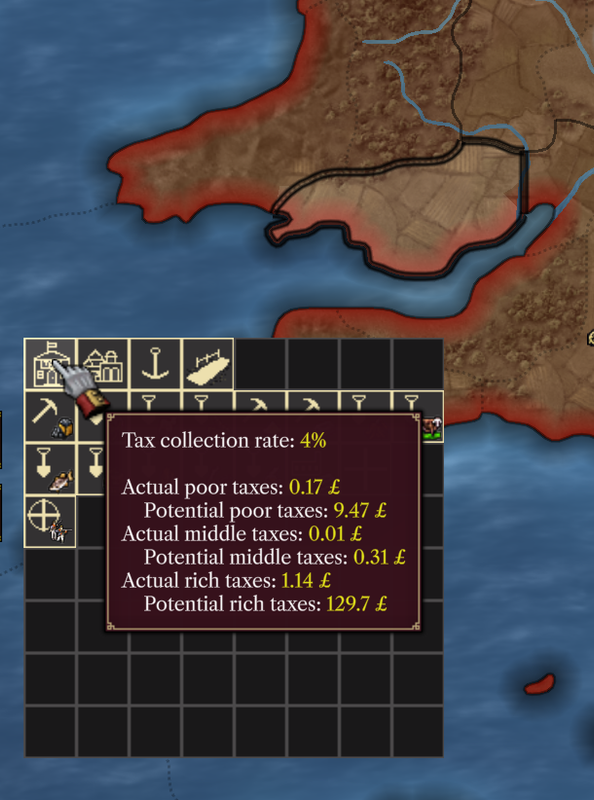
Local administrations. Three levels of local administrations are distinguished by icons: miniscule tax office is present in every province of the nation, while regional and capital administrations are set up by the player. In the tooltip, important information regarding taxation and governance of the province is presented.
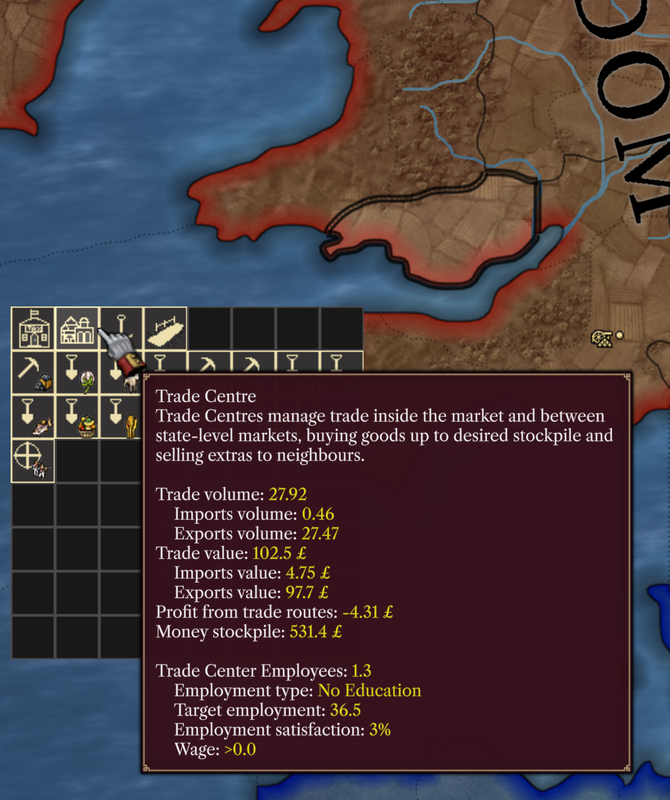
Trade centres can be found only in one province per state, the trade capital. Tooltip of the trade centre presents key information about the trade in the local market and with other markets.
Naval bases, railroads, and forts are displayed with corresponding icons.
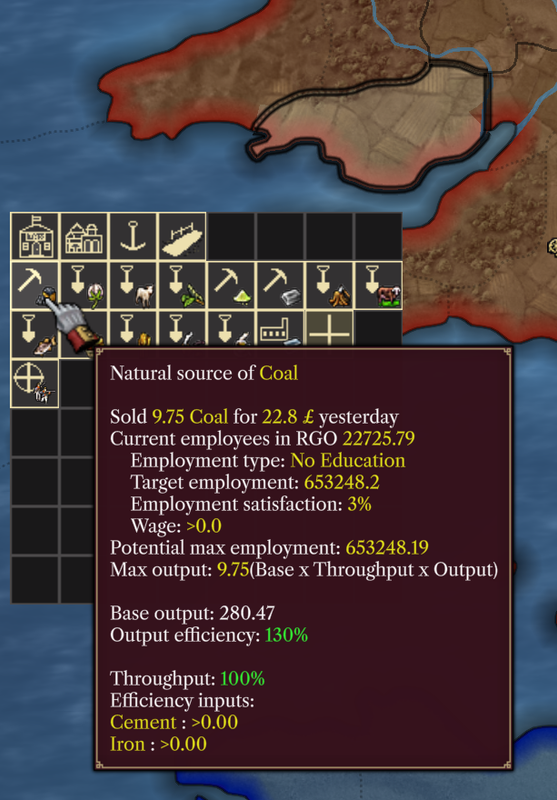
RGOs. Each sizeable RGO is shown as a separate building featuring the icon for a farm, or a mine and the commodity icon. Tooltip of the RGO presents key information about its operations.
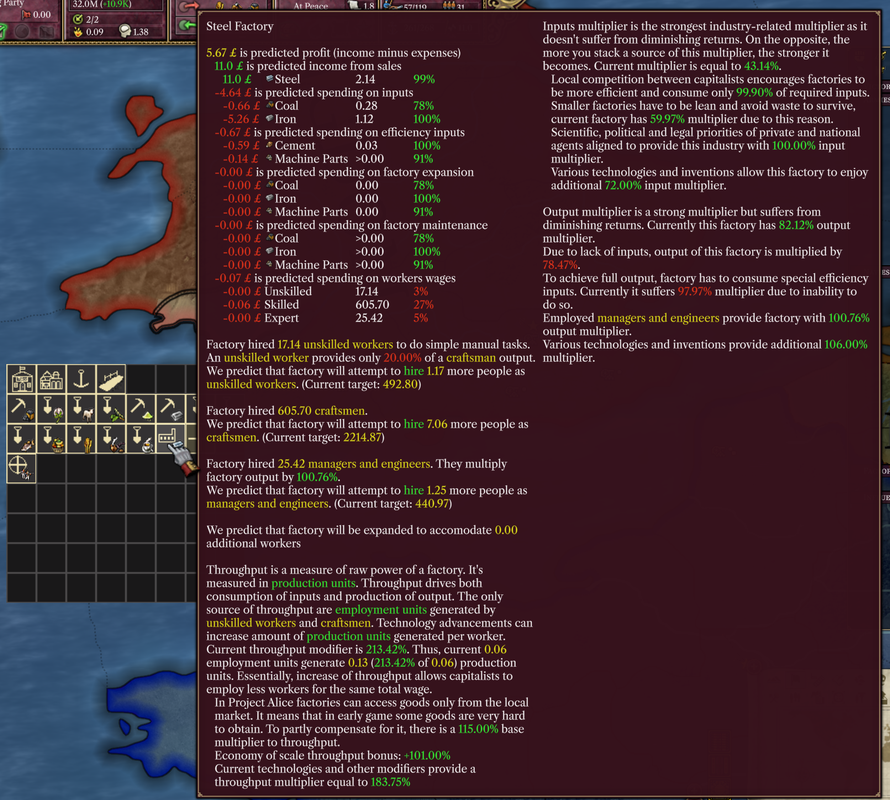
Factories. Each factory of the province gets a separate tile. Tooltip of the factory tile presents full information about the operations of the factory. Clicking on the factory tile opens a context menu that allows interacting with the factory.
New. Tile with a plus sign allows the player to construct new buildings in the province.
Regiments. Local regiments also get one tile each. If you click on the tile, the army, of which the regiment is part of, is selected.