
Troubleshooting
Windows
Issue: Game UI is very laggy, I'm on a laptop. On laptops Alice sometimes fails to use the gaming GPU and defaults to the integrated one. To resolve the proble, set the appropriate GPU to use for the Alice.exe, AliceSSE.exe, and Alice512.exe in Windows settings.
Multiplayer troubleshooting
Using Pre-release builds
Issue: I can't launch multiplayer with launcher. It won't load scenario file.
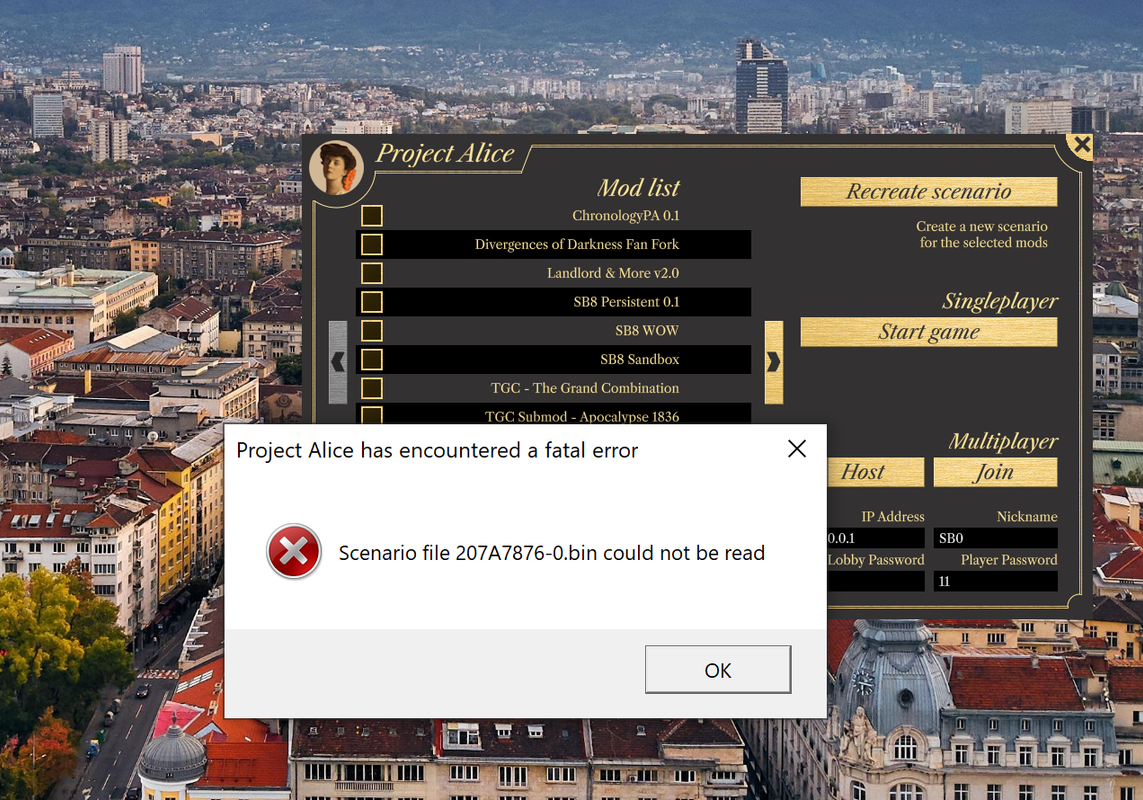
Solution: your AliceSSE file is older than Alice.exe. Remove old "AliceSSE.exe" and copy "Alice.exe" with "AliceSSE.exe" name.
Issue: I can't launch multiplayer with launcher. Nothing happens when I click "host" or "join".
Solution: remove all Alice.exe versions from your game folder. Copy "Alice.exe" file under name "AliceSSE.exe" as that is the version Launcher uses for Multiplayer.
If that doesn't work either, launch the multiplayer with command line.
Command for hosting:
"Alice.exe" basegame.bin -host -name PlayerCommand for joining:
"Alice.exe" basegame.bin -join 26.244.144.229 -name Player2Issue: I can't connect to host. It says error 10060 or 10061.
Solution: try launching both host and client on one PC first. If that works, it means the issue is with your network settings. Check if the other person has static white IP address and both PCs game Alice whitelisted in the firewall.