
Guide
Last updated on December 1st 2025
At game start
- Start by changing your national focus. Firstly, you want to increase admin efficiency by promoting clergy/bureaucrats to 100% in the key states around the capital. Before you acquire higher administration and taxing efficiency, there is no reason to bother administering far parts of the country.
- In technology, rush to discover machine parts. Without the technology, your artisans can't produce machine parts. At the game start only a couple countries have the required tech, so the world will experience a significant shortage in the years to come. With local machine parts production, you will be able to kickstart your industrialisation.
- If possible, change the party in government to the one that allows the construction of factories by the government. The first factory you want to create should be either a machine parts factory or a cement factory. Alternatively, some people prefer a more laid-back approach and simply designate some daily funding towards projects in the budget tab.
Economy
Trade is simulated on state level with land and naval trade routes between state markets.
Factories have economy of scale, maintenance costs, fractional levels.
Employment. Wages for administration, education, factories and RGO workers are determined by market competition as employers compete with one another for employees offering them competitive wages.
Budget. Dynamic wages, new administration and expenditure systems have completely changed the nature of budgeting, so the UI has completely changed too. Budget expenses are no longer limited by some arbitrary numbers, instead you designate a certain % of your incomes and treasury towards the expense (e.g. 30 on bureaucracy gives 30% of budget towards bureaucracy), truly implementing double entry accounting. Some of the reworked systems impacting budgeting include:
Transport infrastructure helps promote trade and bureaucratic control.
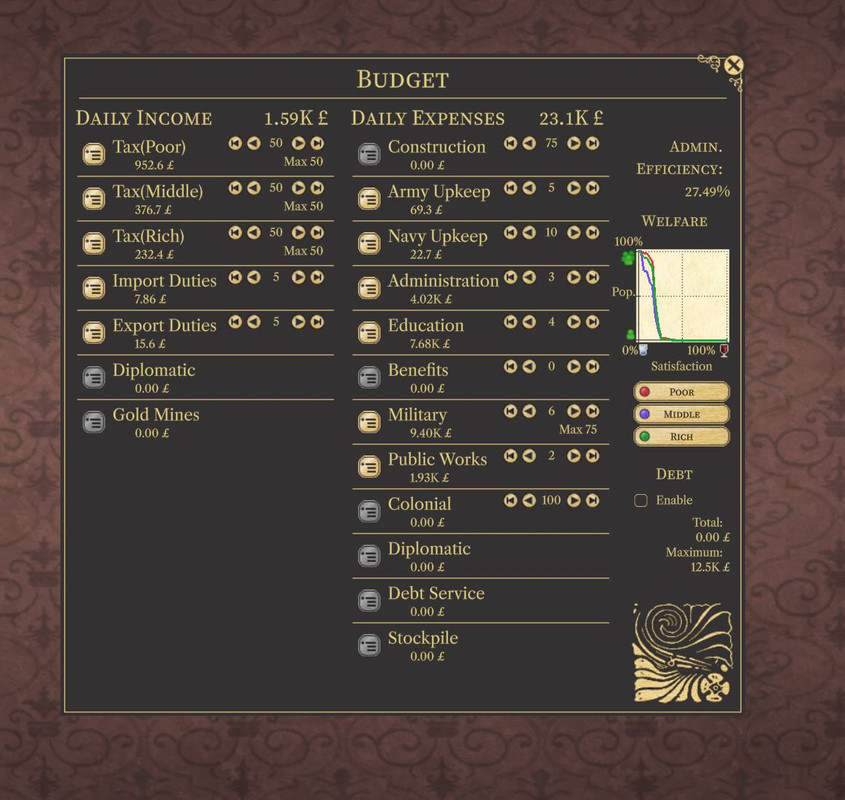 Graph to the right shows what share of the population has what satisfaction score.
Loans and National Bank. Your pops save some of their money before luxury spending in the National Bank. There is only one bank per country. It allows the state to take money from the bank as loans. Interest on loans is paid back to the bank.
A country is declared bankrupt only if it cannot pay back its interest. Loans are repaid automatically as the state goes out of deficit.
Foreign Investment. Overlord can always build factories in subjects with foreign investment, ignoring subject laws.
Private Construction Investment pool. In PA, both capitalists and aristocrats invest into private construction in the following order: 1) factory upgrades, 2) construction of highly profitable factories (payback under a year), 3) construction of factories with good profit margin (>30%), 4) construction of province buildings (railways).
Capitalists won't build factories that will experience an input shortage in the target market. My experiments show that this is the most limiting factor for capitalists investing in the economy.
Investment pool of the country, its main revenues and expenses can be seen in the topbar treasury tooltip.
Daily 1% of the investment pool is paid to all other pops in the country as "incentives" expenses (representing accounting, lobbying, bribes, etc.).
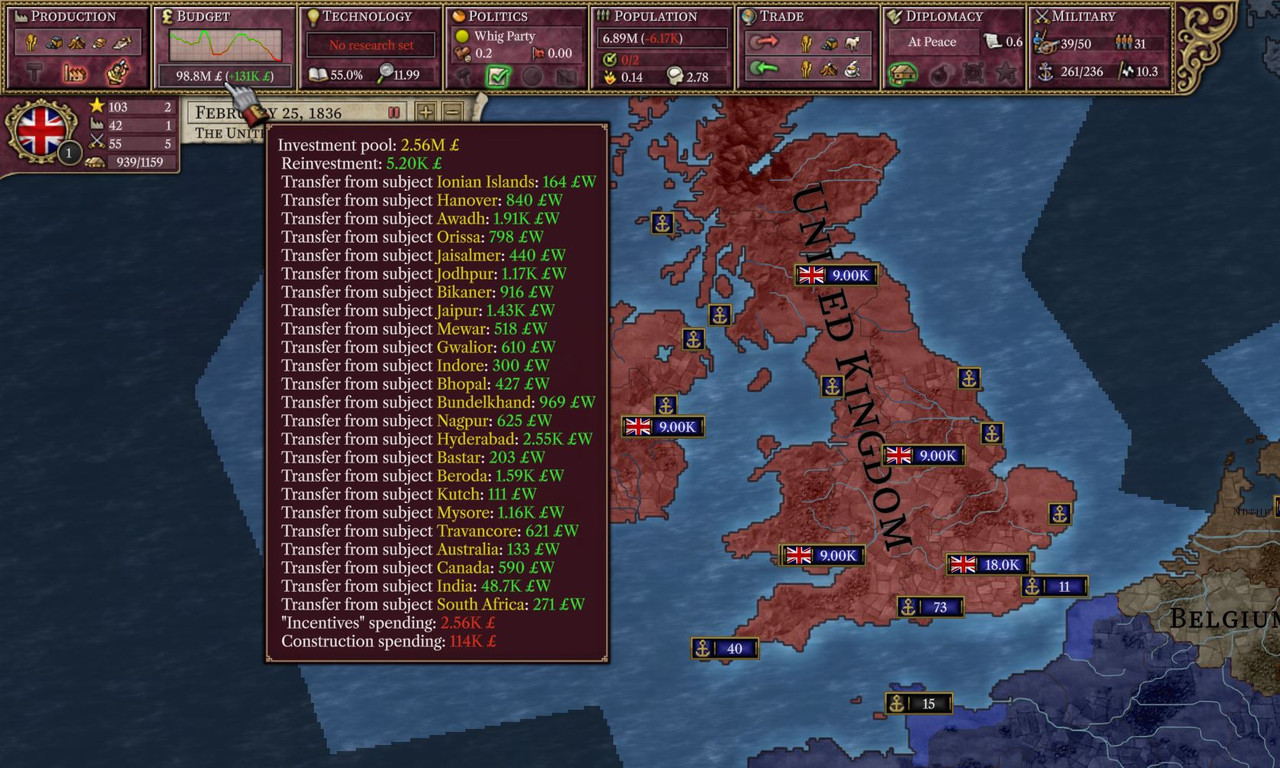
When private investment pool of the subject doesn't have anything to do, it transfers 2% of the pool up to overlord's investment pool. When private investment pool of the overlord doesn't have anything to do - it distributes 2% of the pool between investment pools of subjects.
National industry specialization (window hotkey: Ctrl+N -> Factory types).
Artisans. Since vanilla artisans have the same efficiency as factories, PA nerfes them with +4% required inputs and -4% outputs. These values can be changed with defines alice_inputs_base_factor_artisans = 1.04 and alice_output_base_factor_artisans = 0.96.
Politics
Demography
Education. To keep their literacy up, pops have to get private or public education.
Migration has been tweaked.
Diplomacy
Wars. In war, peace offer with complete capitulation or wargoals worth >=100 warscore is accepted automatically. There is no longer a way to keep full occupying your enemy forever.
A piece of advise: Sometimes AI won't a white peace peace deal, then try to "propose" white peace deal instead of demanding one. Since conceding a war costs prestige, AI is much more inclined to accept concession peace deals compared to demands.
Alliances and allies. An AI nation are pretty much guaranteed to honour its defensive alliances. However, an will join offensive wars only if the AI sees a Wargoal it would add to benefit from the war. Usually, this nation is the AI's rival. Every AI has only one rival, a nation of similar strength.
Unequal Treaties. Unequal treaty is a new wargoal type that can be used by mods with po_unequal_treaty = yes in cb types declaration. It allows victor to force unequal treaty on the losing side. That treaty will prevent the nation from collecting tariffs from trade with the victor. Treaty cannot be revoked for alice_free_trade_agreement_years years (by default - 5).
Embargoes. Nations can declare embargoes against other nations blocking any trade between them.
Crises and Conferences. With conferences, when declaring a war, the nation can choose to run it as a conference instead. Conferences allow for potential diplomatic resolution to what would have been war.
Subsidies. War subsidies are no longer a thing. Nations can give subsidies to a country even in peace. Subsidy size is calculated as a warsubsidies_percent * min(giver's tax base, receiver tax base).
Dynamic CB Infamy Cost. War justification infamy cost is dynamic. For state-level CBs cost is modified by state population to the civ/unciv average. For country-level CBs cost is modified by country population to the civ/unciv average. Civ/unciv average helps prevent weird situations where annexing Belgium costs 2 infamy because unciv states have much higher average population than Europe. Population cost multipliier is clamped between 0.1 and 2.0.
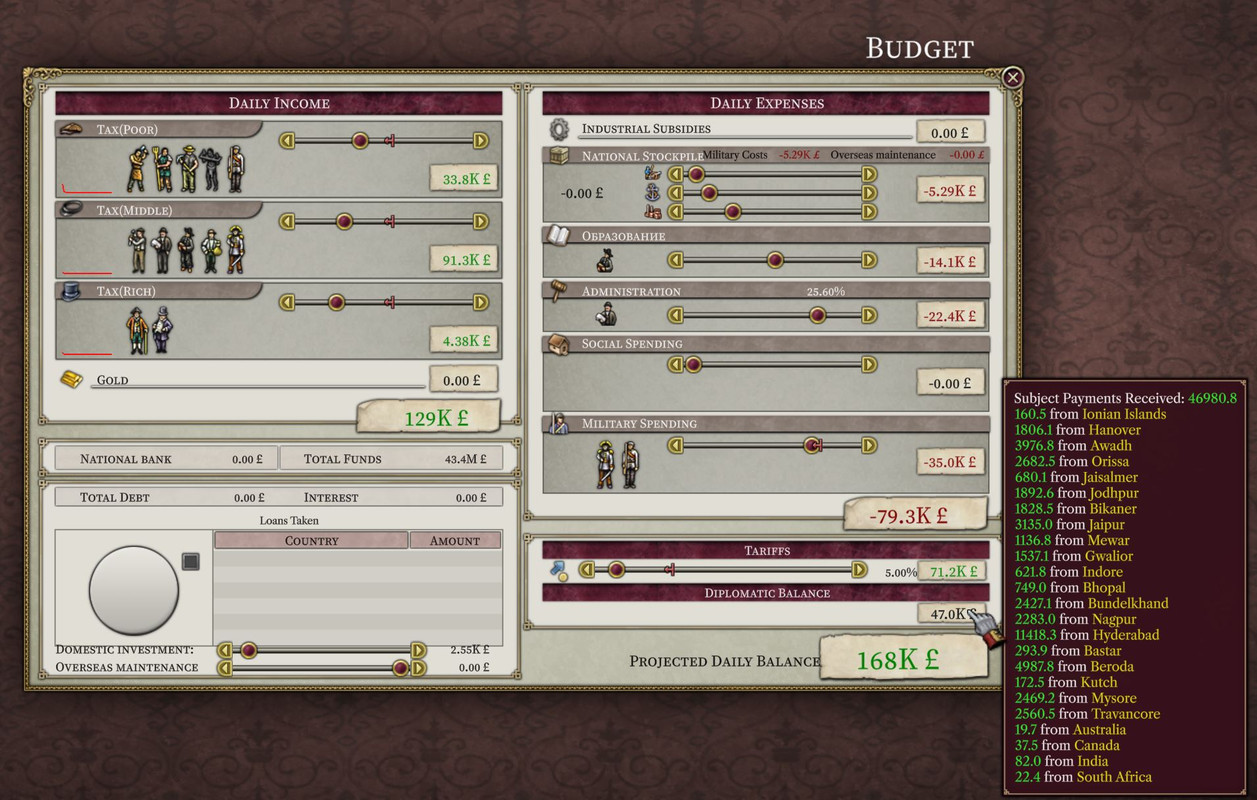
Subject payments. Subjects pay their overlords a share of their collected tax revenue. By default, a puppet pays 30% and a substate - 40%. Subjects payments can be seen in the budget screen under diplomatic expenses. Payments can be changed by mods with defines: alice_substate_subject_money_transfer=30.0 and alice_puppet_subject_money_transfer=40.0
Subject land transfers.
- Overlord can always grant land to its subjects with "State transfer" diplomatic action.
- Overlord can declare war on its subjects if they hold cores of the overlord (see Chinese substates).
- If define
alice_allow_revoke_subject_statesis set, it allows overlord to revoke provinces from its subjects. - If define
alice_allow_subjects_declare_warsis set, it allows subjects to declare war independently of overlord.
Other bits and pieces:
- War justification for state-level CBs (such as demand state) requires selection of the state prior to the declaration of war.
- AI doesn't pay attention to relations between countries. It will ally and join your wars if it thinks to have common interests. For example, Netherlands in 1836 will always ally France to partition Belgium thanks to Netherlands having a CB against Belgium.
- AI constantly justifies CBs on some states it would like to take. Open CBs of AI countries let you and other AIs pull allies into wars as these intentions for land-grabbing are known and visible.
Military
Battles
STR - regiment strength. ORG - regiment organization.
Reinforcement and reorganization of reserves. Regiments which are in the reserve now reinforce STR and regain ORG. They automatically go back into the battle if they have >0% STR and >10% ORG. Regiments in battles (lines & reserves) are not damaged by attrition from low supply. When regiments are out of STR/ORG, the are kicked back into the reserve. This change essentially removes the need for cycling or timing reinforcements.
- Backline support regiments with <100% STR will be replaced by higher STR ones, if available. Fixes annoying situations where backline is low STR, but you can't get rid of them.
- Maneuver also works for support units firing from the back row.
Out of battles
Reorganization. If regiment is out of supply (army maintenance slider is set to low values or there is a shortage), regiment will not be reorging up to a 100% org. All regiments can reorg up to 25%.
Reinforcements and repairs. Reinforcing regiments and repairing ships costs goods. 1% of replenishment costs 1% of base unit cost. If these goods are unavailable (spending is reduced or goods weren't available on the market) then reinforcement/repair isn't done.
Purchase of military goods for regiments is done at the home province of the associated soldier pop and for navies in the nation's capital. Shortage of goods greatly diminishes your ability to reinforce/repair.
- Armies don't regain org or strength if they are black flagged (in provinces without access).
- Coastal +25% reinforcement modifier in controlled provinces applies only when the province is not under blockade.
- Armies get +50% reinforcement modifier from being in a controlled province neighbouring friendly province only if there are no enemy battles or enemy units occupying said friendly provinces.
Unit Upgrades. Regiments and ships inside an army or a navy may be changed into different unit type.
Macro unit builder. Macrobuilder simplifies construction of balanced stacks. It is opened with F10 hotkey or with the button in the bottom right corner of the screen.
- To create new unit template: select "New" template and add some units in the right part of the window.
- To modify existing template: select a template and change unit count in the right part of the window.
- To delete template: press "X" button.
- To build unit using a template: select a template in the window, select a province in the window and click "Build in selected province" button in the window.
- To reinforce existing armies up to template: select a template in the window and then select an army or a navy. Template assigned to the army will appear in the bottom left corner of the unit panel.
- To remove assigned template from the army: select "New" template in the window with the army selected.
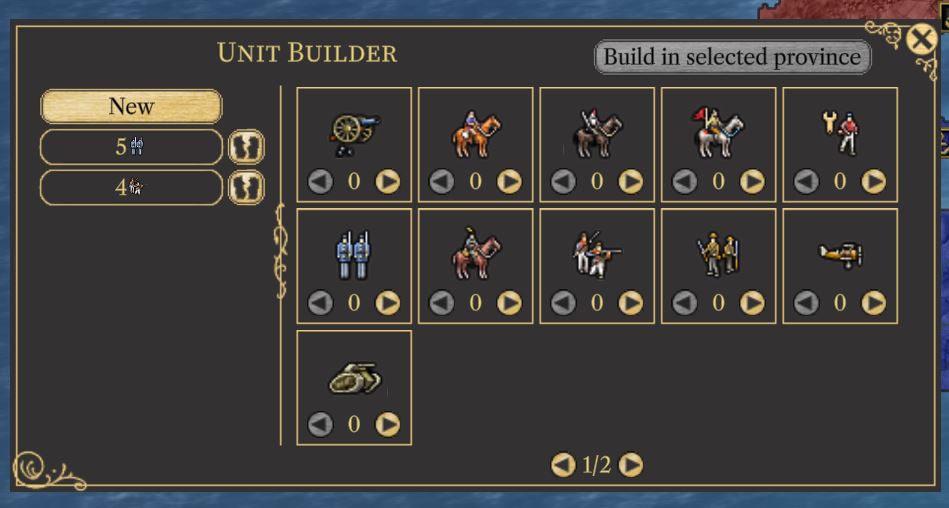 Macro unit builder window with no template selected
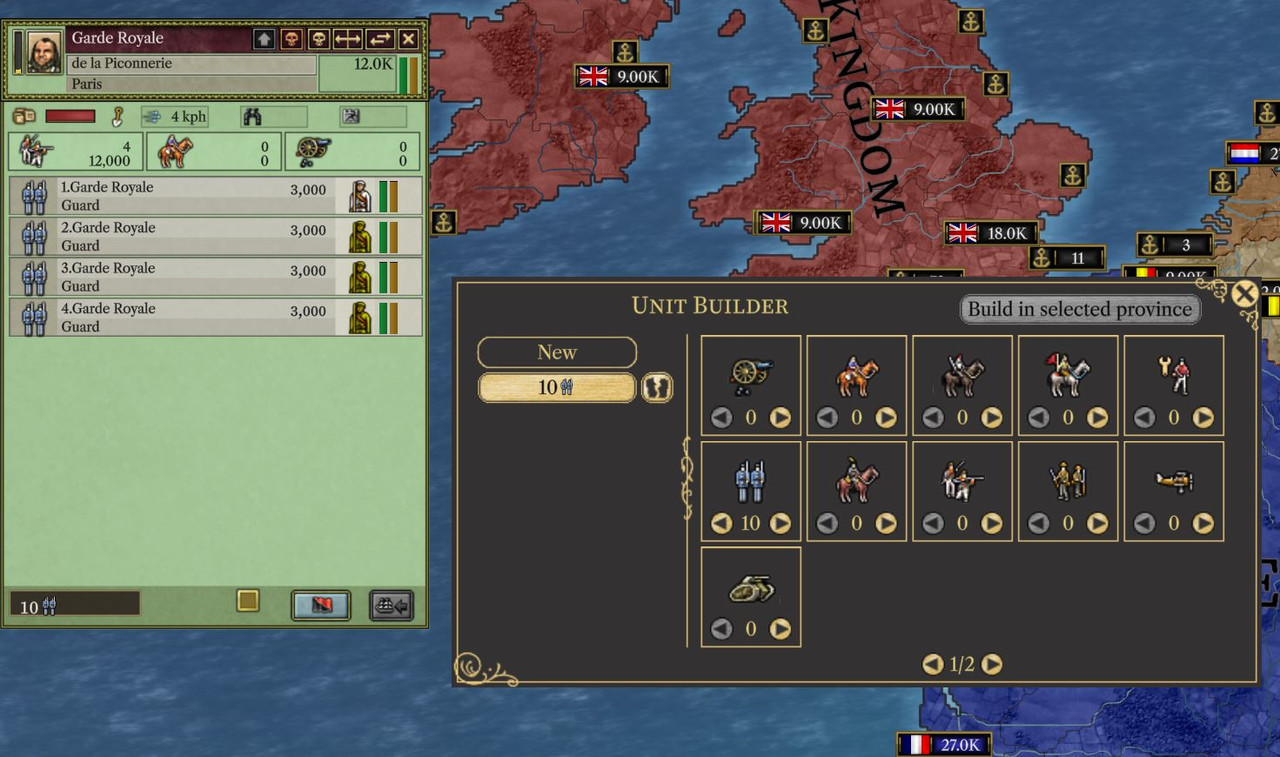 Selected macrobuilder template is assigned to the selected army
Battleplanner. Ctrl+Z hotkey brings up battleplanner UI. It helps automatically relocate and redistribute troops and navies between provinces you assign as HQs.
To use battleplanner:
- Set some province as HQ.
- Assign regiments and fleets to the HQ. Regiments will be automatically delivered to the HQ using transport ships if they have been assigned to the HQ as well.
- Using tools to the left mark some provinces for the operations.
- Defend order will distribute regiments to protect the designated area.
- Siege order automates siege of designated provinces.
- Ferry origin allows to control from which provinces regiments should be ferried.
Important notice: battleplanner isn't very well suited to fight battles for you.
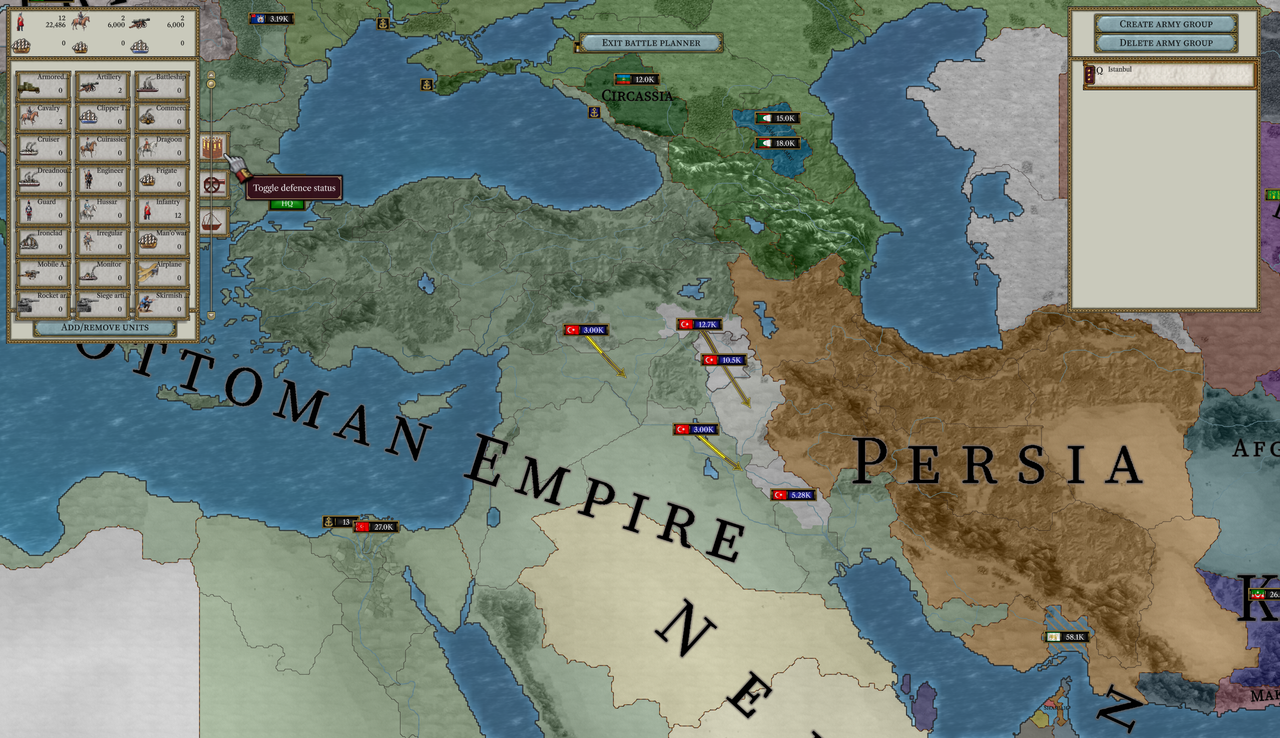
Smaller bits and pieces:
- Unlike the basegame, in PA disarmament CB enforcement cancels construction of military factories as well.
- AI only builds infantry and artillery units.
- AI very rarely performs naval landings.
- Military spending doesn't limit organization of your army. It only slows down organization regain.
- Directional map arrows showing where your & enemy units in sight are moving.
- Full capitulation (or peace giving up >100 warscore) is accepted automatically.
po_make_puppetwargoal ticking warscore is introduced to allow achieving 100 warscore with this wargoal.
New UI
Province window has seen a lot of additions.
Population window. Population window has been completely reworked. It should be quite self-explanatory: here you have states, filters for states and pops, aggregations and drill-down down to a single pop.
If you enable "Only Pops" mode, you can effectively run aggregations on filterered list of pops.
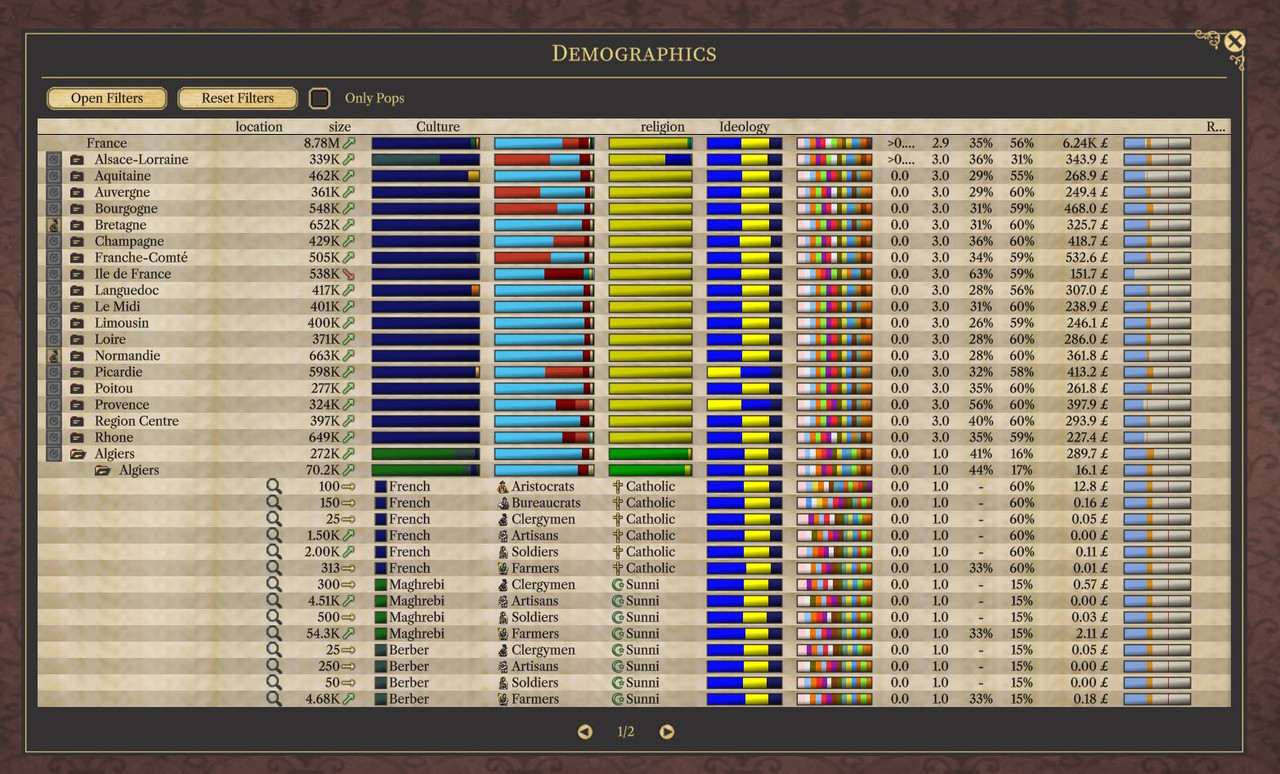
Budget screen has been completely changed as well.
Viewing armies and navies of other countries. You can view armies of enemies and neutral countries.
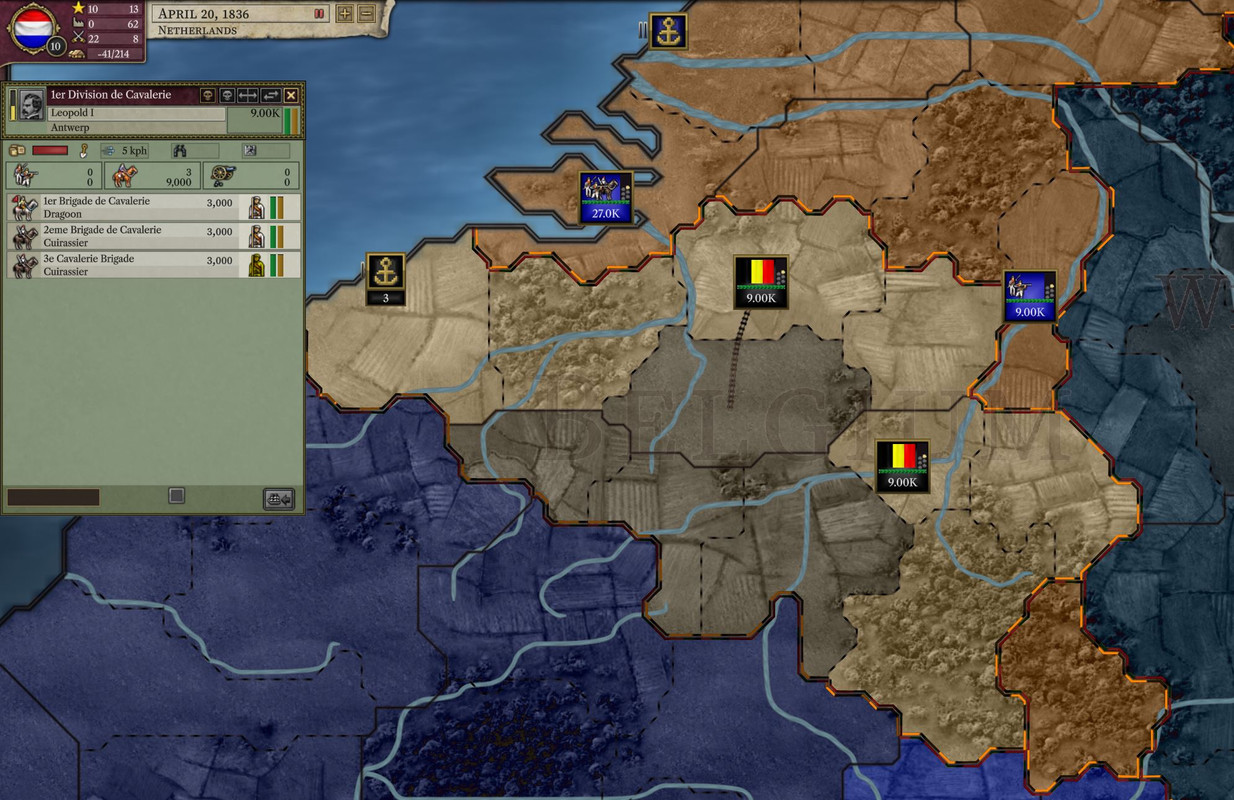
Army Map icons.
Small-scale army map icon includes only the size of the army in manpower.
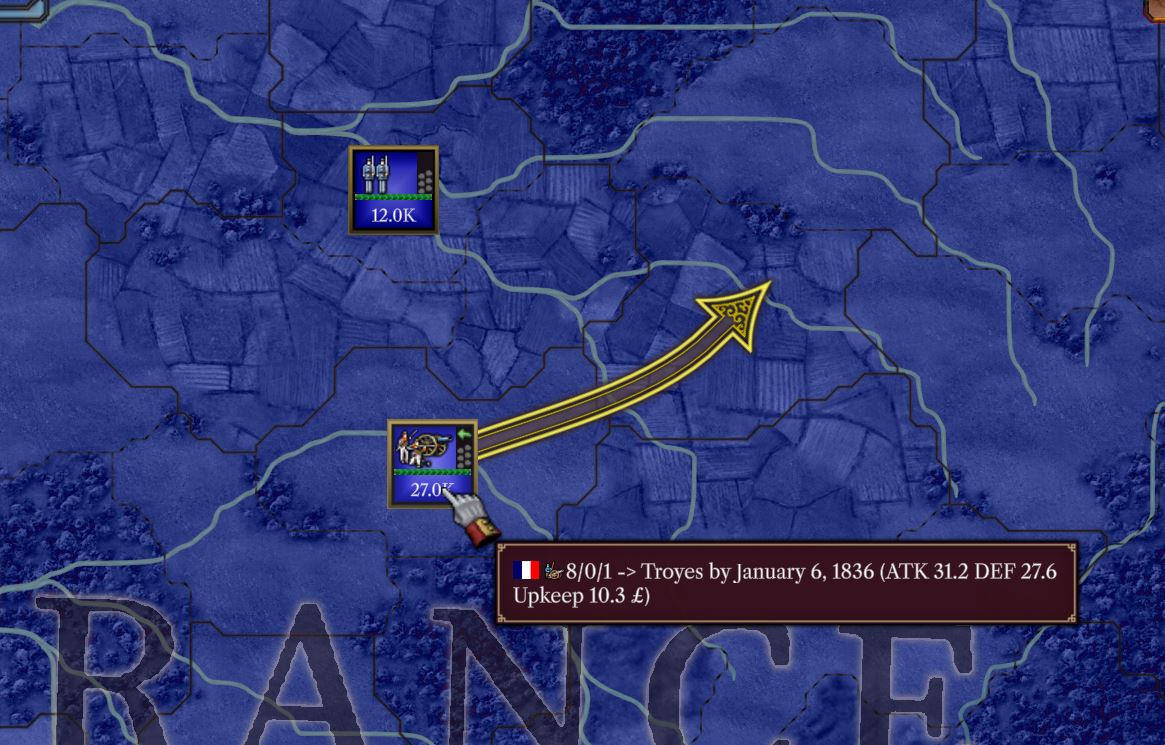
Large-scale army map icon includes an image showing its key regiment types, current org (green line), manpower, dig in status (gray/yellow dots), and current status (green arrow for moving, red scull for attrition, swords for fighting).
Tooltip for the army always shows: number of infantry, cavalry, and artillery regiments, its combined ATK and DEF scores and Upkeep cost.
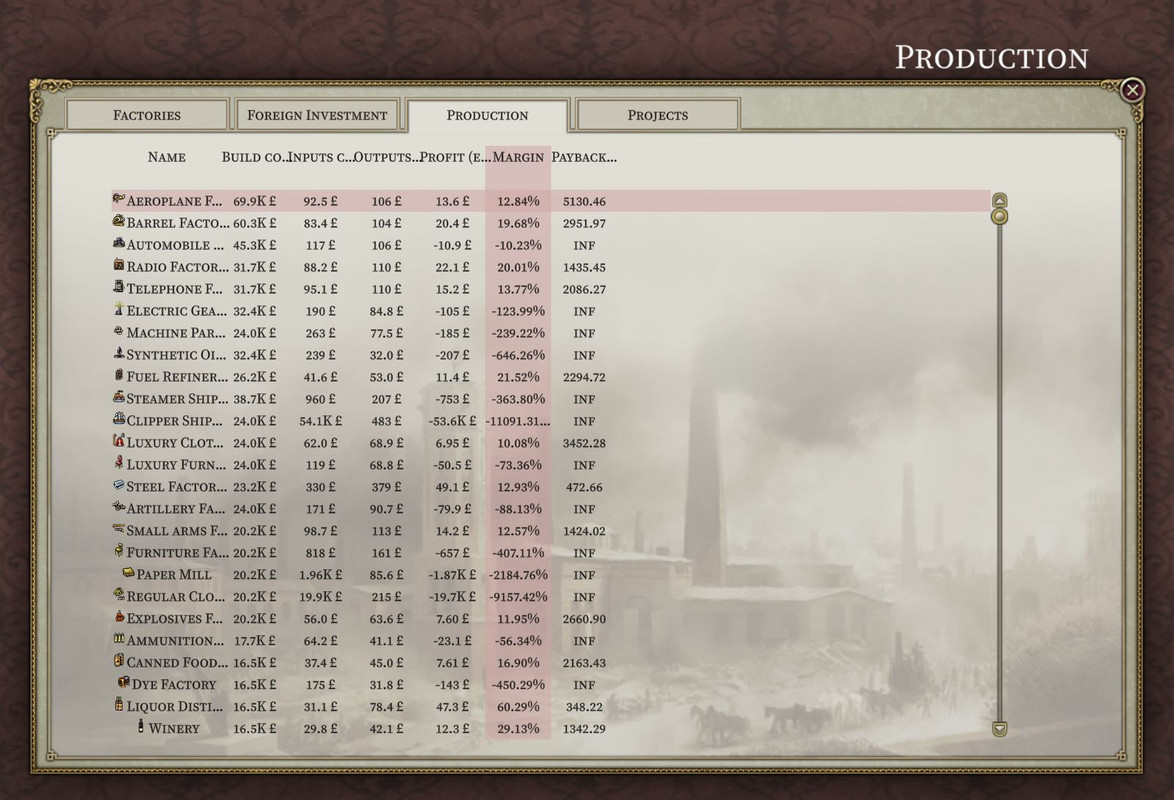
Production tab of production window. Every row here represents a type of a factory. Columns to the right specify values that are used by capitalists in their decision making when building factories: build cost, inputs costs (source materials per tick), outputs costs (products per tick), profit (outputs - inputs), margin (outputs - inputs / outputs * 100%), payback period (profit / build cost).
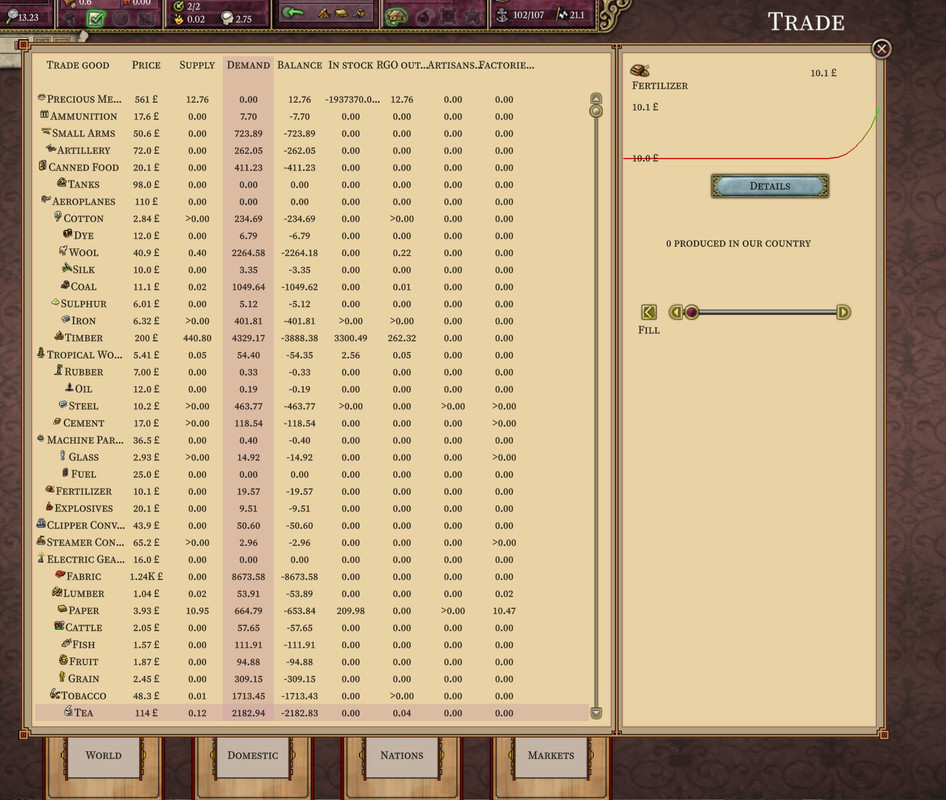
Trade screen. Tabs here allow digging down on markets level: world, domestic, nations (a slice of good prices, production & consumption across all countries) and markets (states inside the player's country). World and domestic tabs provide aggregation over markets so presence of goods on national level doesn't guarantee they will be available in a particular state.
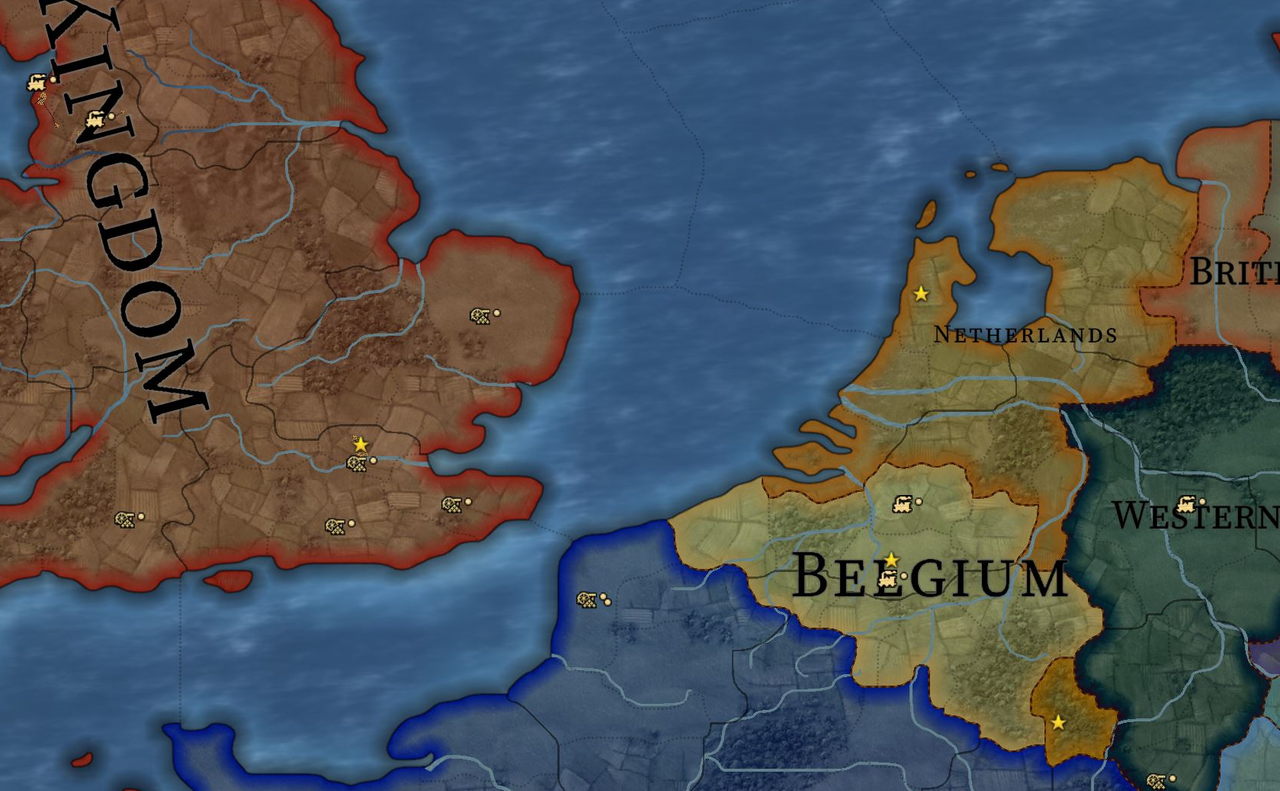
Map icons with Ctrl held. When you hold down Ctrl, all usual icons are hidden from the map and a set of new ones is displayed. Here on province level:
- Star means capital.
- Artillery icon means fort. Number of dots displays fort level.
- Train icon means railway. Number of dots displays railway level.
Multiplayer
Persistent Multiplayer. In this MP mode, players are automatically returned to their nations on both lobby join and hotjoin and playerlist is saved between sessions on the host side. AI isn't placed on player's country upon disconnection.
This allows for 24/7 servers where players join and leave any time they want with the game progressing (previously known in browser games).
You can play Persistent MP with our Persistent PA MP community.
Hotjoin. Project Alice allows for hotjoining the game. If the player (with his nickname) was already in the game - he will be placed back on his country. New players are placed on AI-led countries sorted by rank from the top (UK, France, Russia, etc.).
Player password in MP. To protect himself from impersonators player can set a password in launcher. Password is passed to the PA game as a cmd argument. Client sends password to the server in plain form. If player is known, salt is taken from DCON and hashes are compared to check whether to drop connection. If player is new, hash and salt are stored in DCON. If player previously didn't have a password and sets one in Launcher - it'll update password. In persistent mode, hash and salt are stored in playerlist csv file.
JSON Web API. PA can expose Web API enabled with alice_expose_webui define. As of now it allows viewing key stats on trade routes, and some stats on nations and commodities.
Common console commands
true providto display province IDs in map tooltips.
Modding
Mods can have their own assets folder that overwrites the main assets folder in the same way normal modding works so you can change the shaders, etc, if you wanted to.
Features for mods: